Sales, stock and invoicing in one place — without fighting the software.
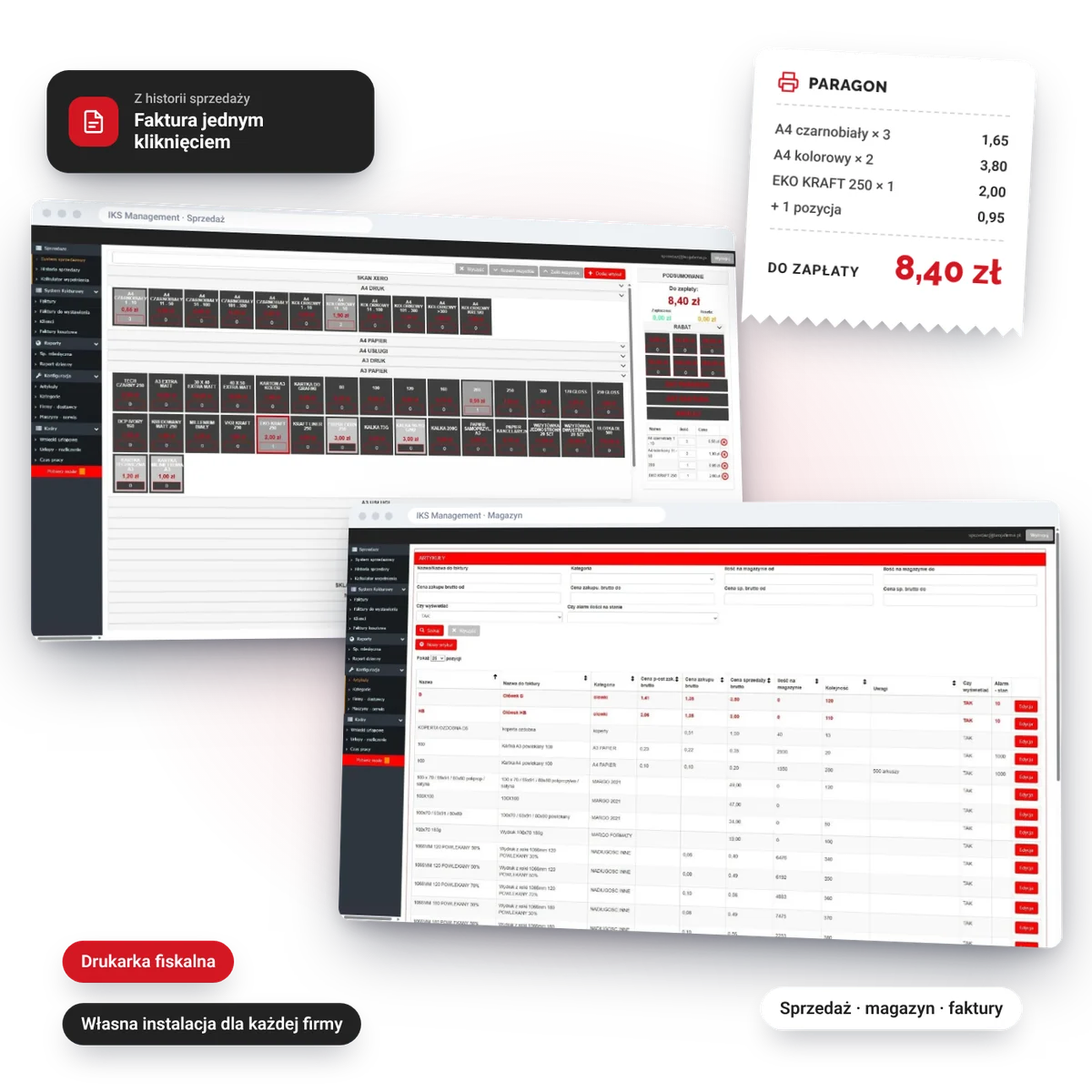
IKS Management is a system for small businesses that serve customers at the counter and want their stock and paperwork in order. You pick a product from a tile, the receipt prints on the fiscal printer, and you turn any sale from the sales history into an invoice with one button. It runs in the browser and adapts to your business, not the other way round.
Who is it for?
A shop, studio, print shop, plant nursery or service point — a business with 1–10 workstations that issues receipts and invoices, keeps goods in stock and does not need an ERP costing tens of thousands.
- Shops
- Print and copy shops
- Design studios
- Garden centres and nurseries
- Service points
What does it do?
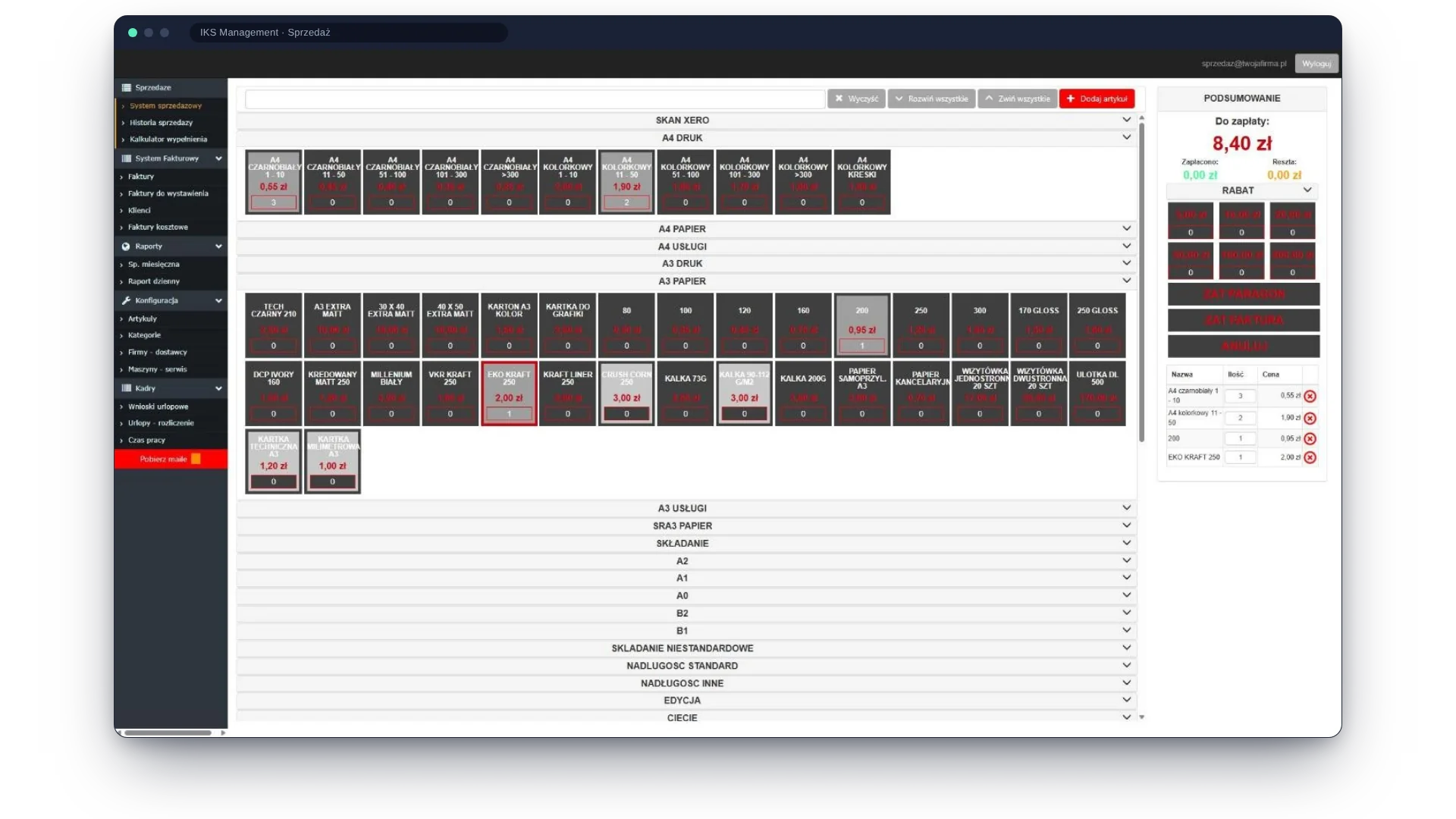
- Sales on tilesProducts grouped into categories, one tile is one click. Plus search, discounts, the amount tendered and the change to give.
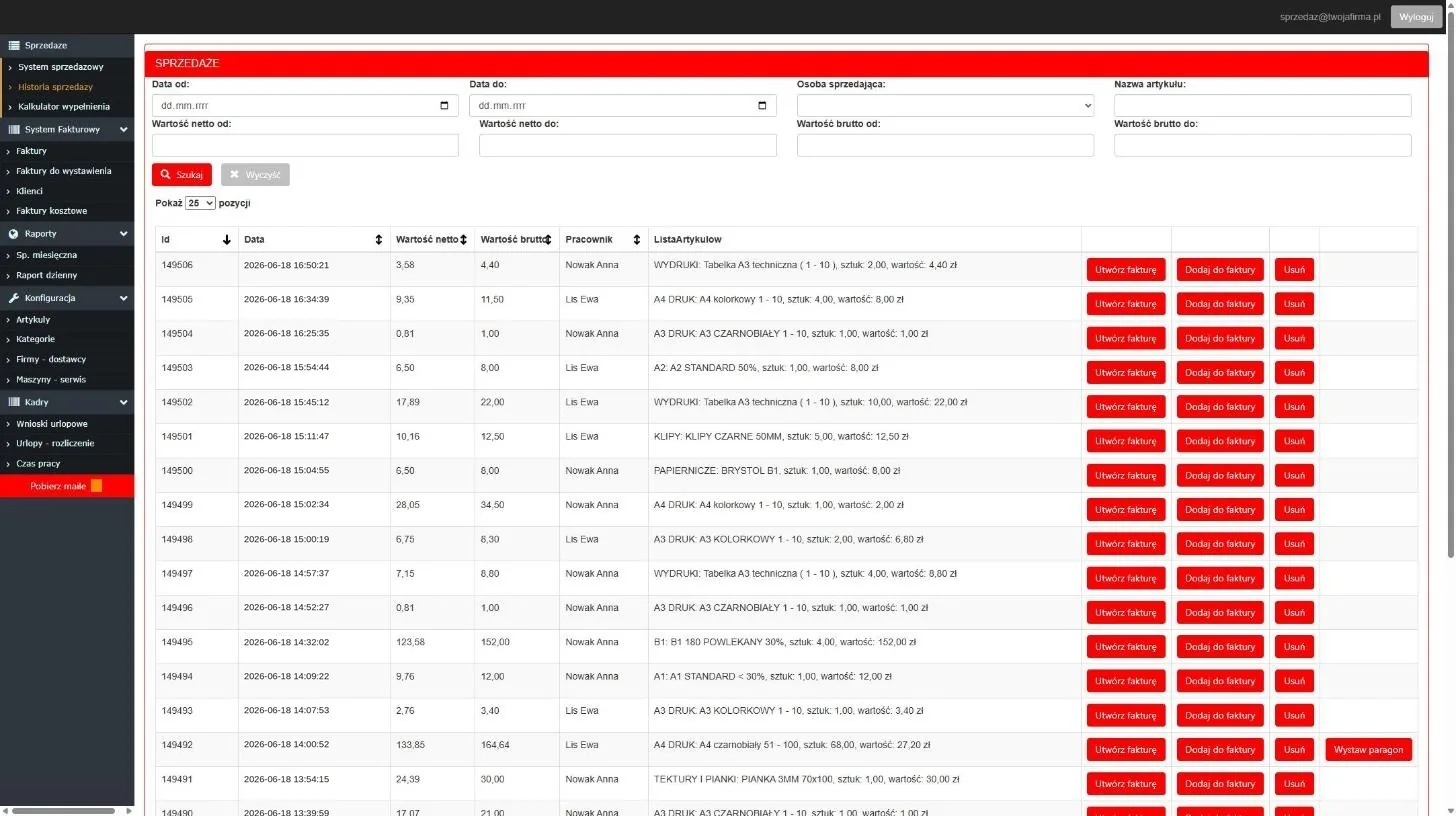
- Receipt or invoiceYou finish a sale with a receipt from the fiscal printer or go straight to an invoice. Each one is saved with the time and the name of the salesperson.
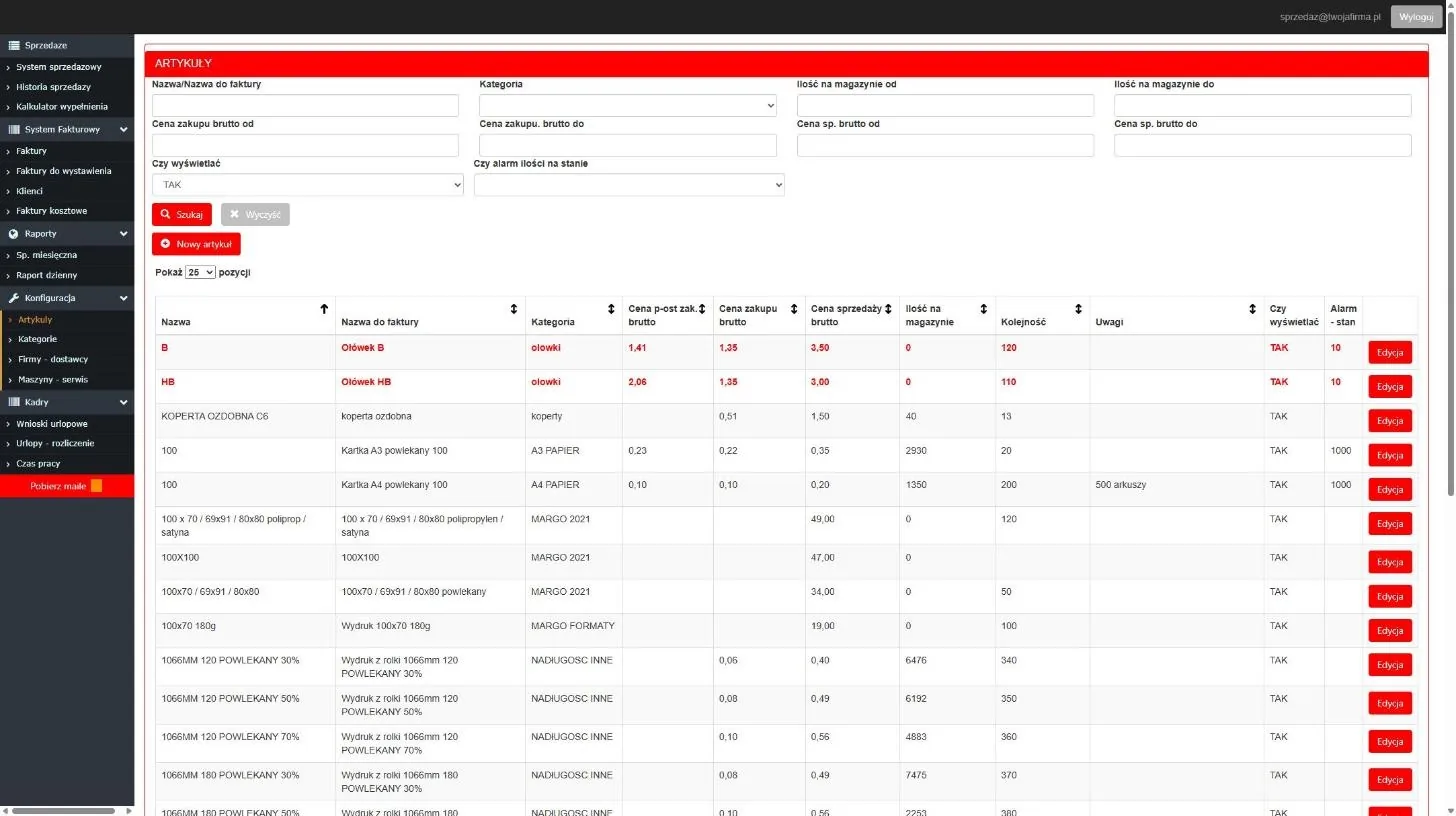
- Stock levelsStock goes down with every sale and is shown on the tile. Purchase and selling prices in one place, and an alert threshold highlights goods that are running out.
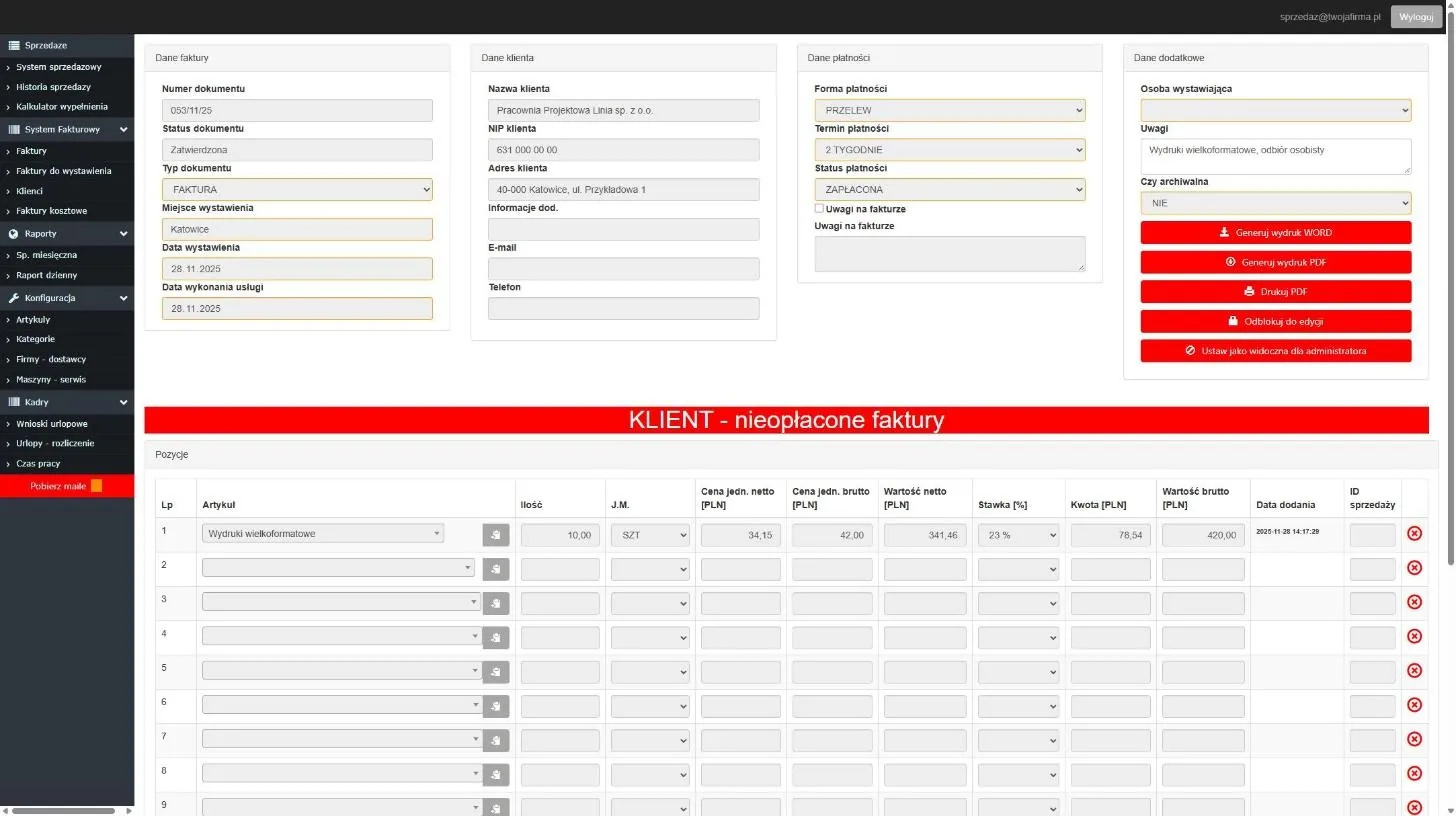
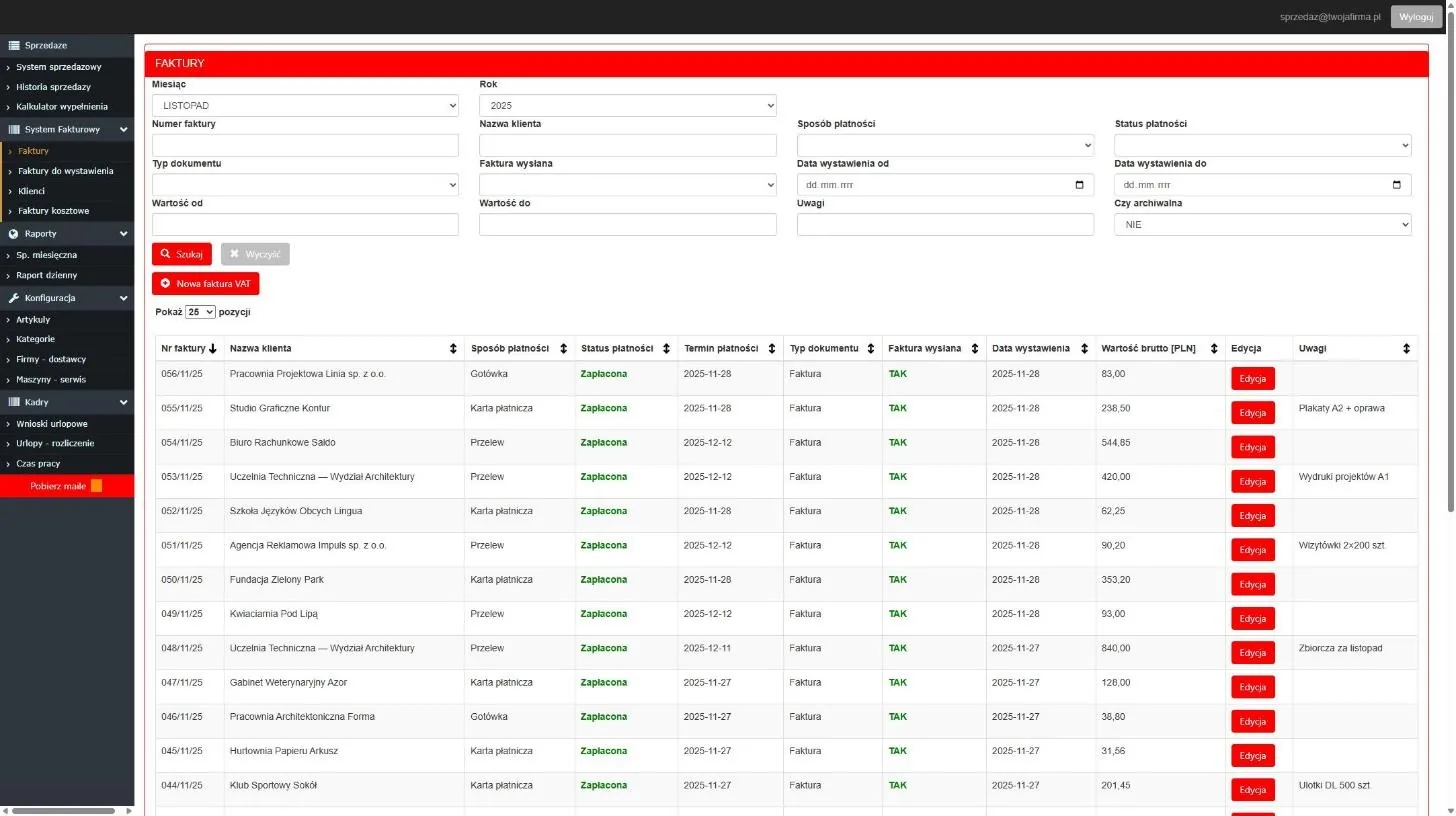
- Sales invoicesVAT, pro forma and retail invoices — from a single sale or combined from many, e.g. for a regular customer at the end of the month. Export to PDF and Word.
- Payment trackingPaid, partly paid or unpaid status, payment due date and a “sent” marker. When you create a new invoice, the system warns you if the customer has unpaid documents.
- Purchase invoicesA register of supplier invoices with net, VAT and gross amounts and a “passed to the accountant” marker.
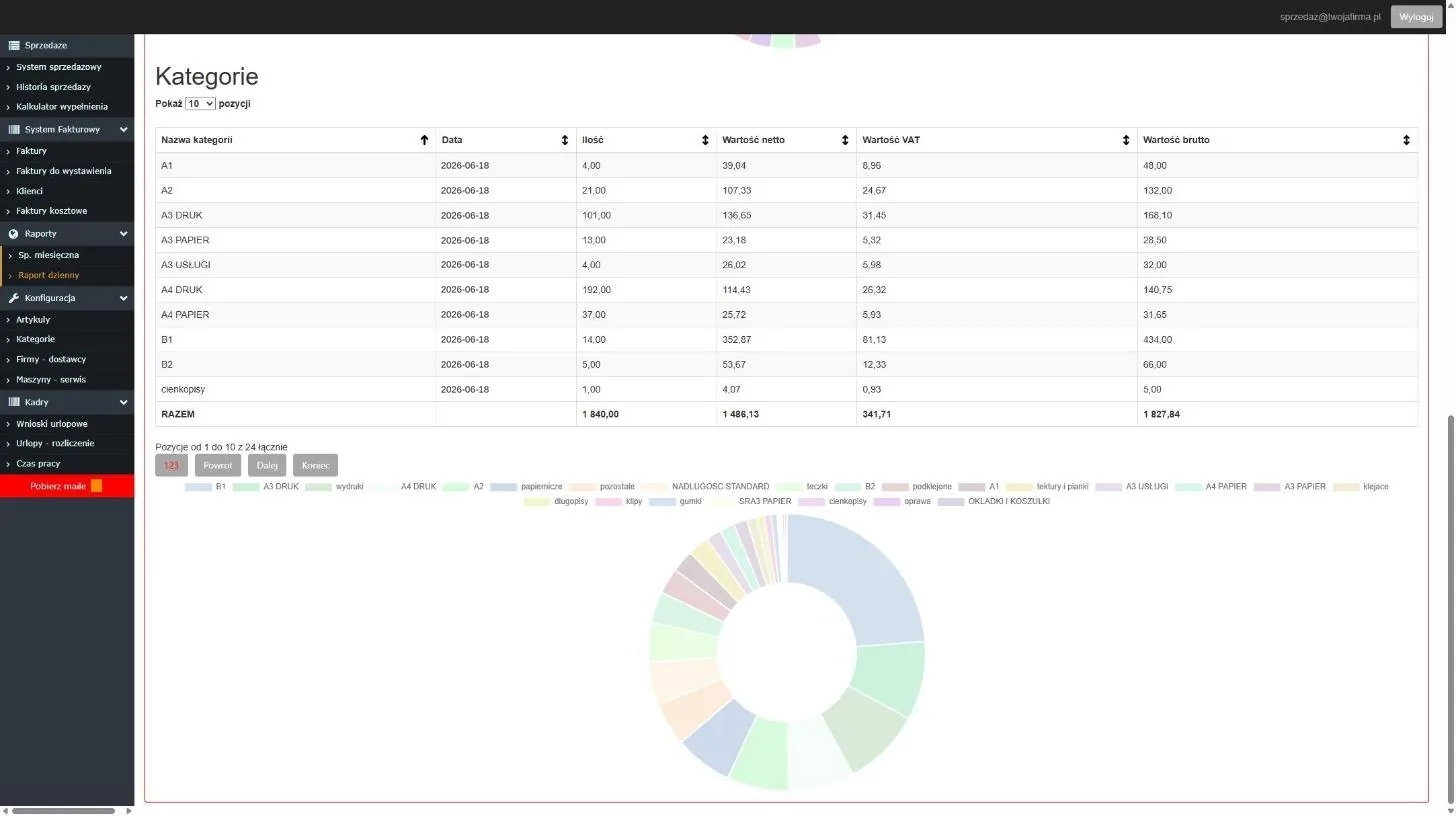
- ReportsDaily sales by item and category, with a chart. A monthly retail sales report and a history with filters by date, salesperson and item.
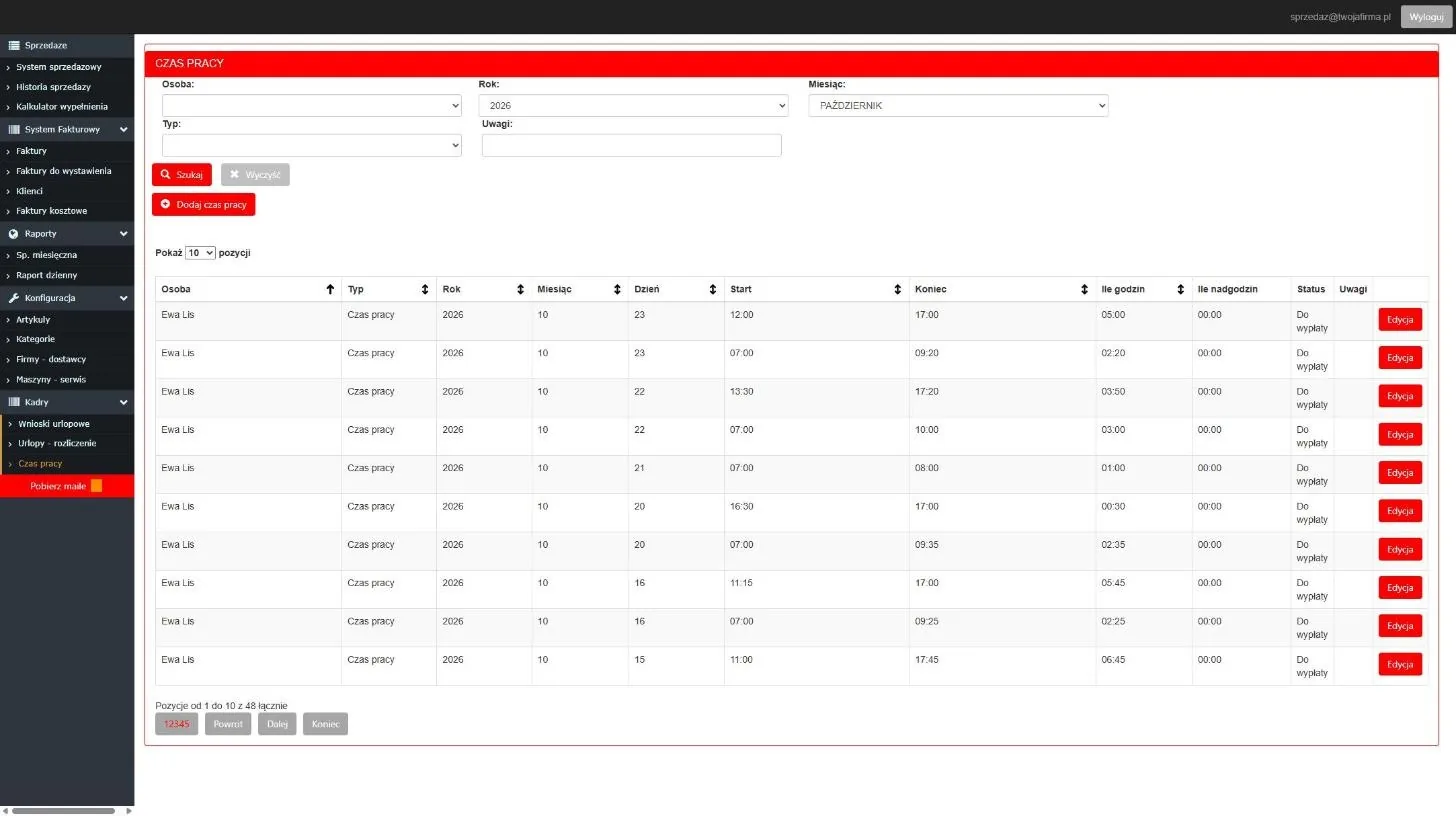
- HRWorking time and overtime records, leave requests with approval and leave balances.
What it looks like
Screenshots from a live installation at a print shop. We have replaced customer and employee names with sample ones.
Tailored to your trade
Every business has its own installation, so the system grows with it. At the print shop it was built for, we added, among other things, prices that depend on the print run (one rate for 10 copies, another for 300), a print coverage calculator and a machine service log with usage and repair costs. On top of that there are databases of business and individual customers and of suppliers, which you use with every invoice.
How we implement it
- Online demo (30 min) — we show you the system using your own examples.
- Configuration — products, VAT rates, fiscal printer, users; data import from your current software.
- Tailoring — every business has its own installation, so we set up fields, printouts and reports to suit you.
- Launch and support — training on site or online, and direct contact with us.
Pricing
The price depends on the number of workstations and the scope of tailoring. Book a demo and we will prepare a quote within 2 business days.
Book a demo
FAQ
How many people can use the system at the same time?
Each employee has their own account. Sales, invoices and stock levels update for everyone in real time, and the history shows who sold what and who issued each invoice.
Can I move my data from my current software?
Yes, we import products, customers and stock levels.
Who has access to my data?
Only you; the installation is yours, and we have service access at your request.